
The Last 10% Takes the Longest
Most construction chaos happens at the end of a project. The structure is done, but dozens of small tasks need to be tracked, assigned, and completed before anyone can call it finished.
Sound familiar?
- ✗Dozens of small tasks spread across texts, emails, and spreadsheets
- ✗Trades showing up without knowing what needs to be done
- ✗No clear picture of what's finished and what's still open
- ✗Owners asking for updates that nobody has
- ✗Punch lists that never seem to get shorter
- ✗Delays caused by miscommunication, not by the work itself
BlueTape fixes this.
One organized system where owners, builders, contractors, and trades all see the same punch list, the same status, and the same progress.
How It Works
A clear workflow from punch list to project complete.
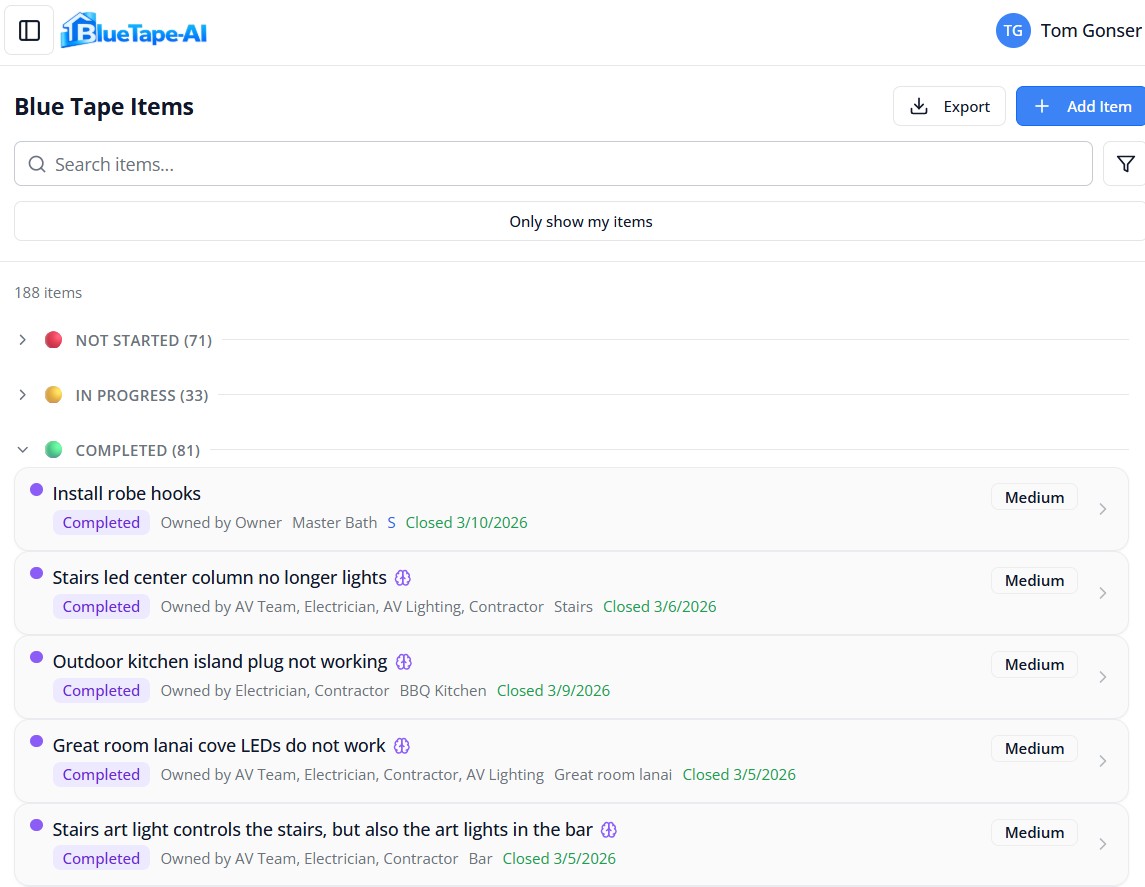
Create your punch list
Add items manually or paste in your tasks, rooms, teams, contacts, or appliances — AI handles the rest.
Assign to the right trade
Each item goes to the team responsible for fixing it.
Trades confirm and complete
They acknowledge the work, set an ETA, and mark it done.
Owner or builder approves
Nothing is closed until someone signs off on it.
Run each project your way
Every project is different. Choose who assigns the trades and who signs off on finished work — set it per project, change it anytime.
Owner-Managed
You assign trades to tasks and approve completed work yourself. Best for smaller projects where the owner directs the action.
Contractor-Managed
Your contractor assigns trades and approves completed work. You verify it before anything is closed.
Owner-Rep Managed
Your contractor still assigns trades and approves the work — while you or your designated rep handle the final verification.
Paste Anything. AI Figures Out the Rest.
Don't waste time re-entering data. Paste your punch list, team contacts, room names, or appliance inventory — BlueTape's AI recognizes what it is and imports it instantly.
AI automatically:
- Detects what you pasted — tasks, rooms, teams, people, or appliances
- Breaks task lists into individual items with room and trade assignments
- Imports team rosters and people with roles ready to invite
- Adds rooms, trades, and home systems like Sub-Zero, Lutron, or Bosch
- Reads equipment labels from photos — brand, model, serial number, and specs
- Processes forwarded emails and turns them into tasks with one click
- Catches duplicates and merges similar items automatically
- Turns everything into trackable, organized data in seconds
No copying. No retyping. No starting over.
Understand the Problem Before the Trade Arrives
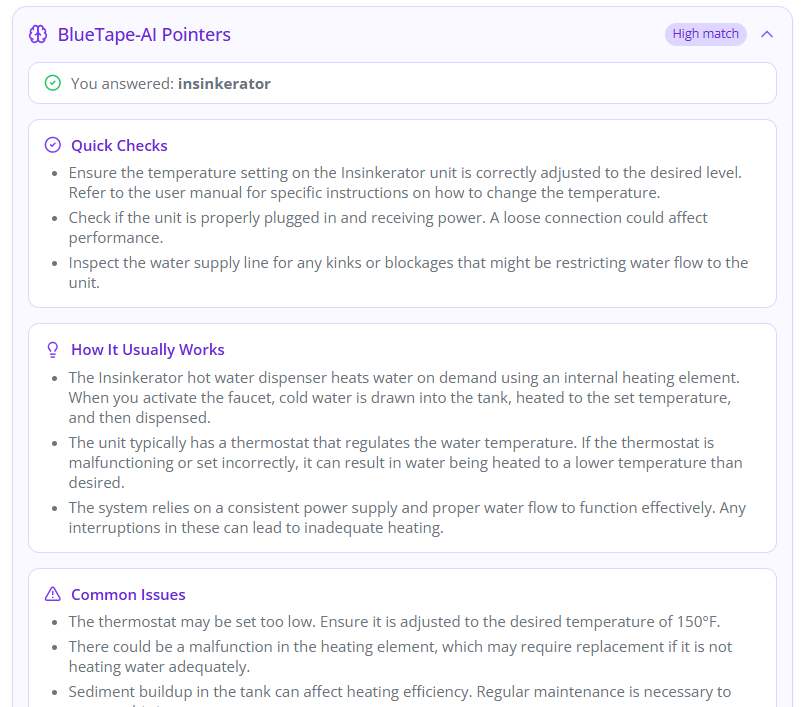
When tasks involve devices, automation systems, or technical issues, AI can find manuals, suggest troubleshooting steps, and generate helpful instructions.
Program vehicle remotes for garage
What garage door opener do you have?
AI asks the right question first, then delivers quick checks, common fixes, and links to manufacturer guides.
LG TV won't connect to network
What's happening when you try to connect?
AI asks the right question first, then delivers quick checks, common fixes, and links to manufacturer guides.
Irrigation controller showing offline
What brand of irrigation controller?
AI asks the right question first, then delivers quick checks, common fixes, and links to manufacturer guides.
How AI Guidance Works
Screens Every Task
When you add a task, AI decides if it can help
Asks a Clarifying Question
Identifies your equipment or pinpoints the symptom
Delivers Tailored Steps
Troubleshooting, escalation steps, and manufacturer docs
Know Exactly Where Your Project Stands
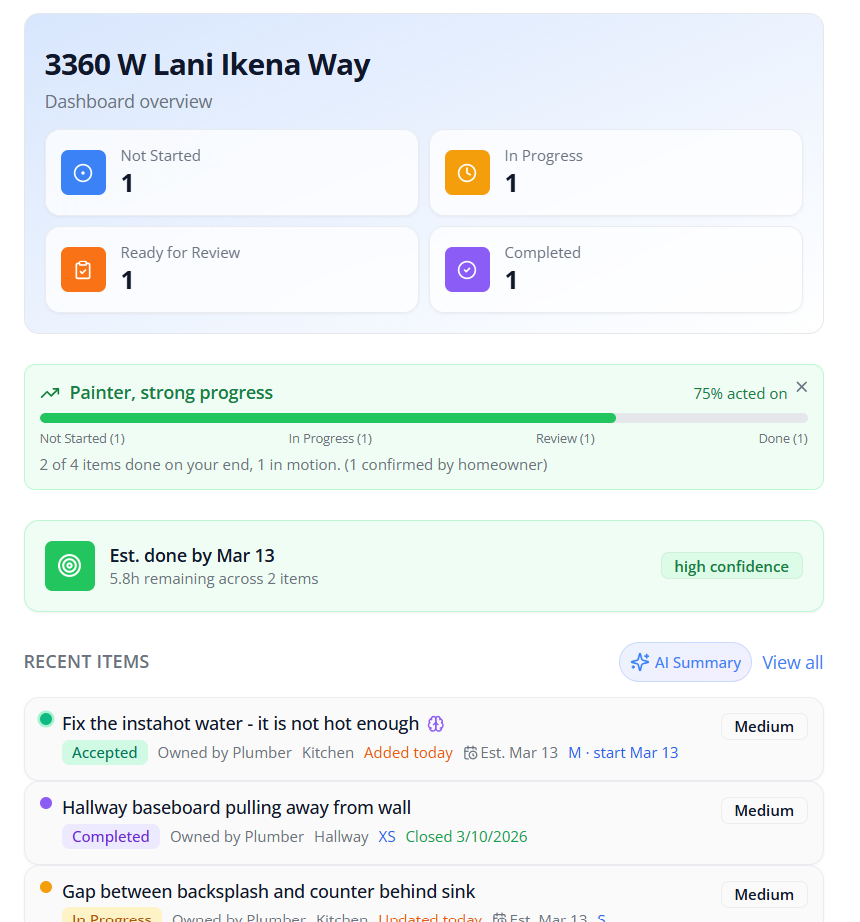
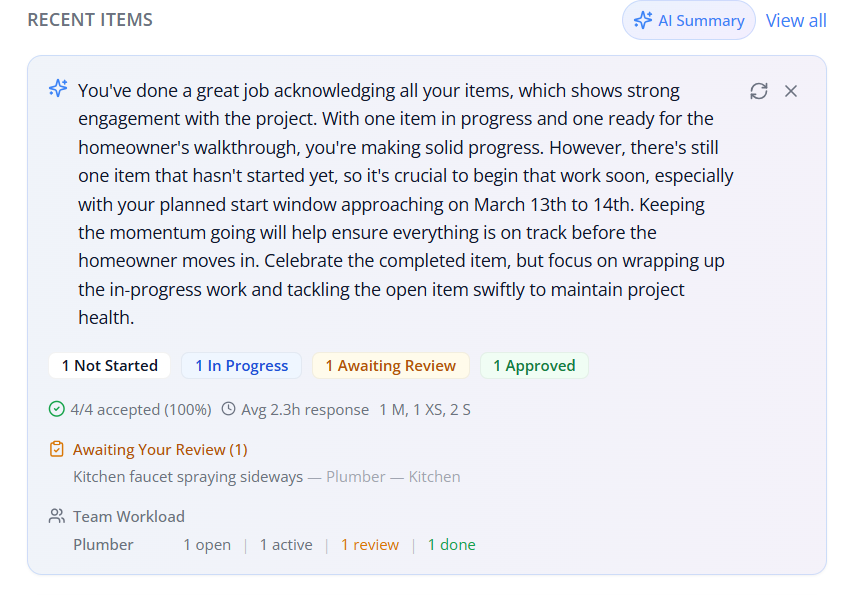
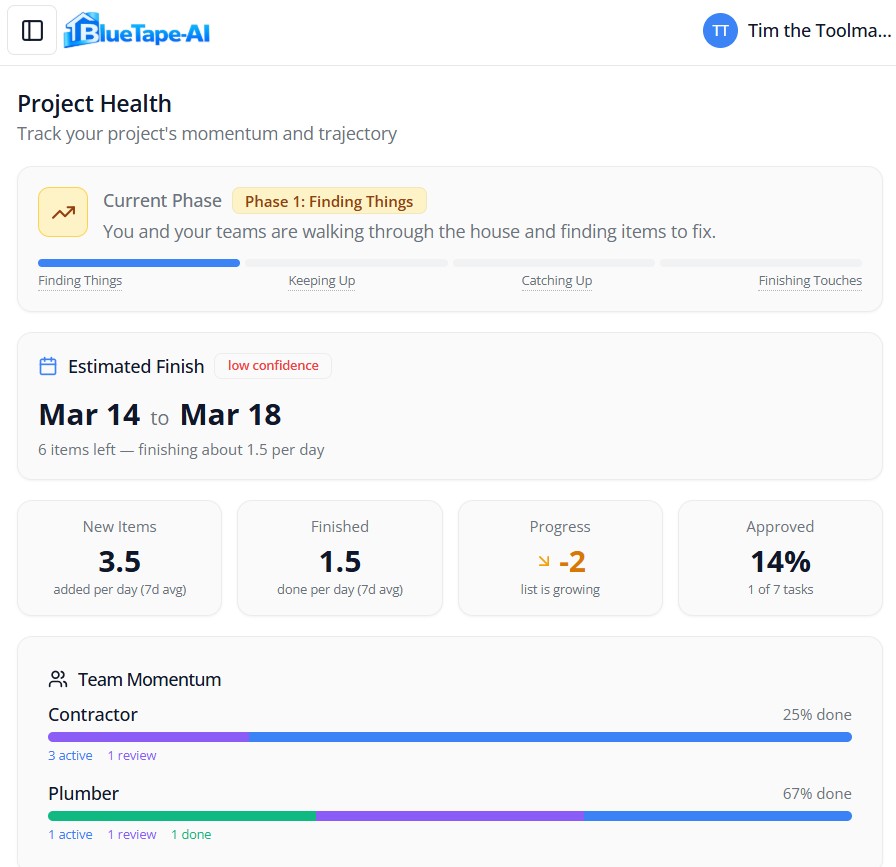
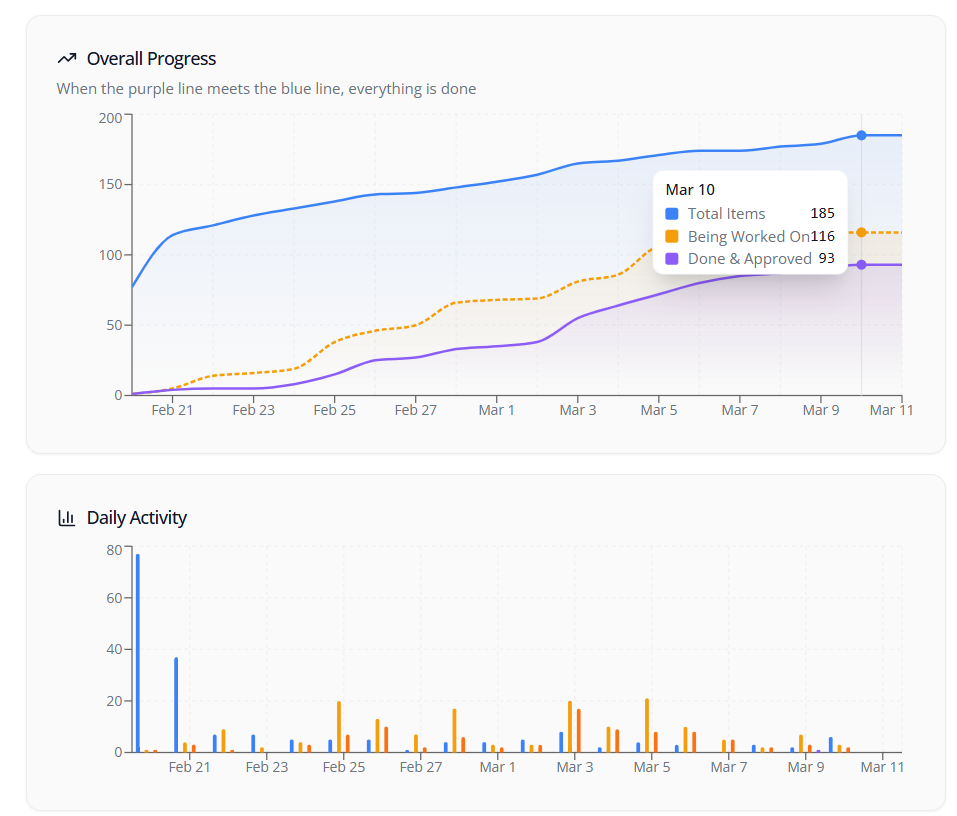
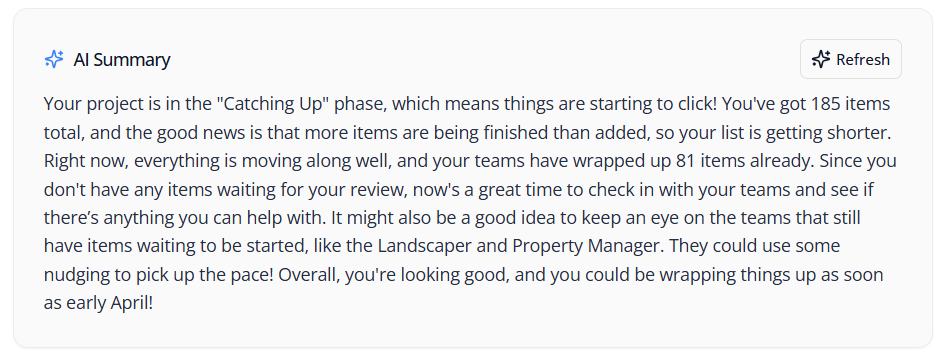
BlueTape analyzes project activity and explains progress in plain language. No complex dashboards. Just clear answers about pacing and estimated completion.
Task Sizes
AI estimates the scope of each task so you can see the real weight of what's left.
Completion Rates
See how fast items are getting done and whether the project is speeding up or stalling.
Trade Responsiveness
Know which teams are on it and which ones need a nudge.
Estimated Completion
AI calculates pacing and gives you a realistic timeline for finishing the project.
Clear Communication, Built In
The biggest delays in the final phase come from miscommunication, not the work itself. BlueTape's acknowledgement system keeps everyone aligned.
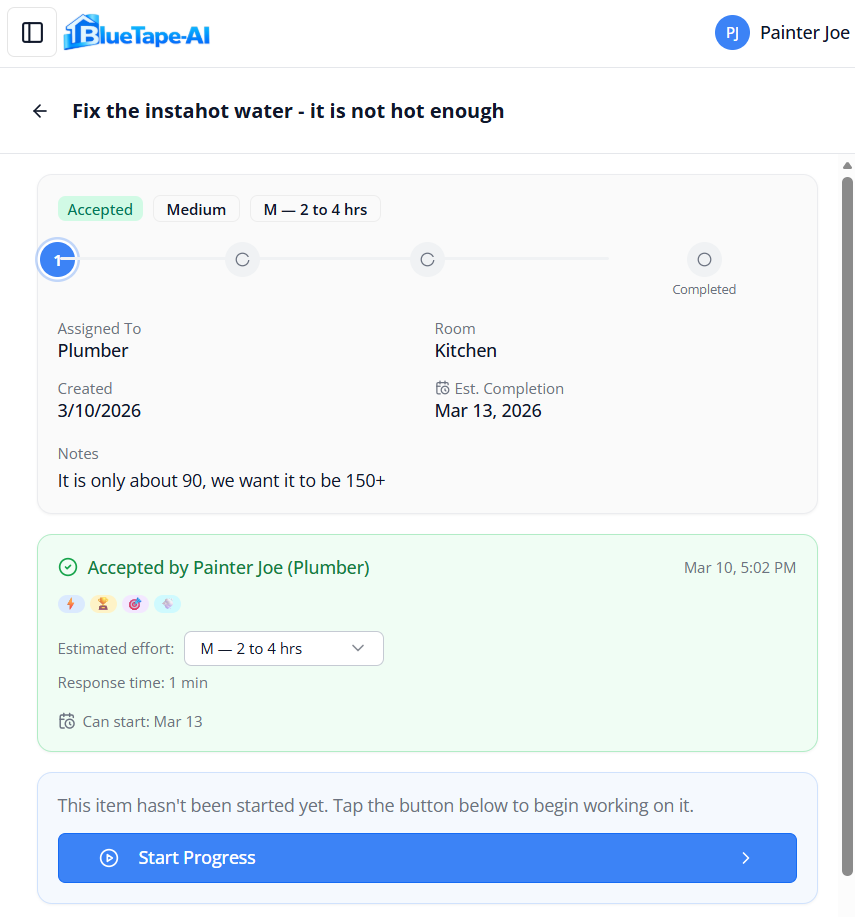
Trades confirm they've seen it
When a task is assigned, trades tap "Accept Item" to acknowledge the work. Everyone knows who's on it.
Optional start ETA
Trades can say when they expect to start, helping owners and builders plan around schedules.
Response time tracking
BlueTape tracks how quickly trades acknowledge and complete tasks.
Reputation that follows you
Response time, completion speed, reopen rate, and ETA reliability build a portable track record.
Your Punch List Becomes the House Manual
Every task you create, every photo you take, and every email you forward automatically builds a complete record of every system in the home — who installed it, what model, and how to service it. No typing required.
One task creates everything
"Install Control4 to manage Lutron shades, Bluesound audio, alarm system, and thermostats."
BlueTape reads the task, creates a system card for each piece of equipment, then asks each trade to confirm the details.
Every system cataloged with brand, model, and location
Snap a photo of any label — AI reads and creates the record
Forward purchase orders or equipment lists by email
Installer info and contact details
Warranty tracking — auto-detected duration, expiration alerts, and registration status
AI-generated specs, manuals, and maintenance tips
Connected system map showing how everything integrates
Your Reputation Is Your Best Marketing
Great trades communicate clearly and deliver consistently. BlueTape helps you prove it — building a portable reputation that follows you from project to project.
Accept Tasks Promptly
When you're assigned a task, tap Accept Item to let the owner know you're on it. Fast, clear communication sets you apart.
Set Your Start ETA
Say when you expect to start. Meeting your ETAs shows reliability and helps owners plan around your schedule.
Build Your Track Record
BlueTape tracks response time, completion time, and quality. Your reputation follows you across every project you work on.
Earn Recognition Badges
Hit milestones and earn badges like Fast Responder, Quality Pro, or Reliable ETA. Badges appear next to your name so owners and builders see your track record.
Badges You Can Earn
Badges appear next to your name on every project. Owners and builders see them when reviewing work, choosing teams, and coordinating tasks.
Everyone Sees the Same System
Owners, builders, contractors, and trades all work from the same organized punch list. No more chasing updates or wondering what's been done.
Owners
Log items, track progress, and approve completed work
Builders & Contractors
Coordinate trades, manage the punch list, and approve items on the owner's behalf
Trades & Subcontractors
See assigned tasks, acknowledge work, and mark items done
Viewers
Follow along with project progress
Everything You Need to Finish the Project
Organize items by room
Assign to the right trade
Set urgency levels
Photo Intelligence — AI reads equipment labels from photos
Email Inbox — forward emails to create tasks automatically
Comment on each item
Full activity log
AI Smart Import — tasks, rooms, teams, people, and appliances
AI troubleshooting guidance
Project Health dashboard
Email notifications and daily digests
Trade reputation and badges
Accept Item acknowledgement with ETAs
Contractor can approve on owner's behalf
Private messaging
Duplicate detection and smart merge on import
CSV and Excel export
Simple, Transparent Pricing
Start free with every project. Upgrade when you need more.
Join the Beta — Use BlueTape Free
We're opening the beta to the first 100 customers. All Pro features at no cost. Enter your details and we'll send you a personal invite link.
Home Systems
Turn your punch list into a living house manual. Every system cataloged with brand, model, installer, AI-generated specs, warranty tracking, and maintenance schedules.
| Feature | Free | Starter | Pro | Builder |
|---|---|---|---|---|
| Systems per home | 5 | 25 | 100 | Unlimited |
| AI system profiles | ||||
| Warranty tracking & alerts | ||||
| Maintenance schedules | ||||
| Trade clarification requests |
Limits are per home — Add as many projects/Homes as your plan allows.
No credit card required to start. Cancel anytime. Powered by Stripe.
About BlueTape-AI
BlueTape-AI is a product of ezclick LLC.
The idea for BlueTape-AI came from a real problem: managing the dozens — sometimes hundreds — of small tasks that appear at the end of a construction project.
Electrical fixes. AV adjustments. Paint touch-ups. Network configuration. Cabinet alignment. Device integration.
The list grows quickly, and trying to manage it through spreadsheets, texts, and emails becomes chaotic.
Like many homeowners and builders, we started with spreadsheets. They worked — until they didn't. Once the list grew and multiple trades were involved, the process became difficult to track and even harder to coordinate.
When we went looking for a better solution, we realized something important: most construction software manages the project, but very little focuses on the final phase — the punch list and project closeout.
So we built BlueTape-AI.
BlueTape-AI uses artificial intelligence to help organize and manage the last stage of construction. You can import messy punch lists, team rosters, room lists, contact info, and even appliance inventories from emails, notes, spreadsheets, or other software — and the system automatically turns them into structured, organized data that owners, builders, and trades can work through together. Forward emails to create tasks, photograph equipment labels to auto-populate system records, and let AI handle the data entry so you can focus on finishing the project.
The goal is simple: make the final stretch of a construction project organized, transparent, and easier for everyone involved.
BlueTape-AI is headquartered in Ketchum, Idaho — where we spend our days skiing and our nights building software designed to make construction projects finish smoothly.
If you're working on a project and want to help shape the platform, we'd love to hear from you.
BlueTape-AI is built for owners, builders, contractors, and trades who want the last phase of construction — the part where blue tape appears everywhere — to go as smoothly as the rest of the project.